Order limits and payment rules that checkout can't skip
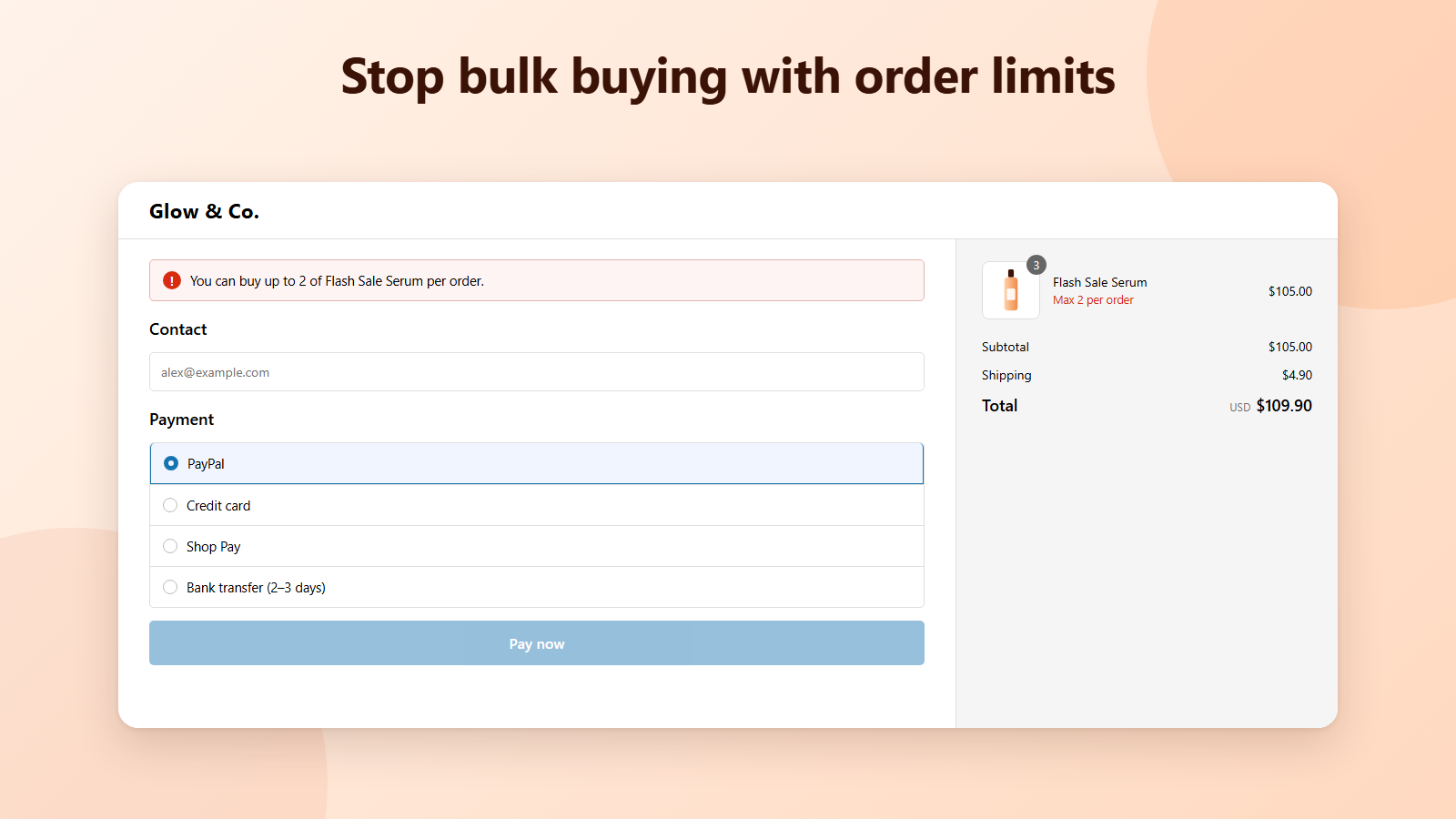
Set a minimum, maximum or pack size for any product, or a minimum order value. Hide cash on delivery on large orders or in some countries. Every rule runs inside Shopify checkout, so it also holds for Buy it now and express checkouts.
Payment
Control what buyers can order and how they pay
Start from a template, test it in the simulator, and it runs on every Shopify plan.
Min, max and pack sizes
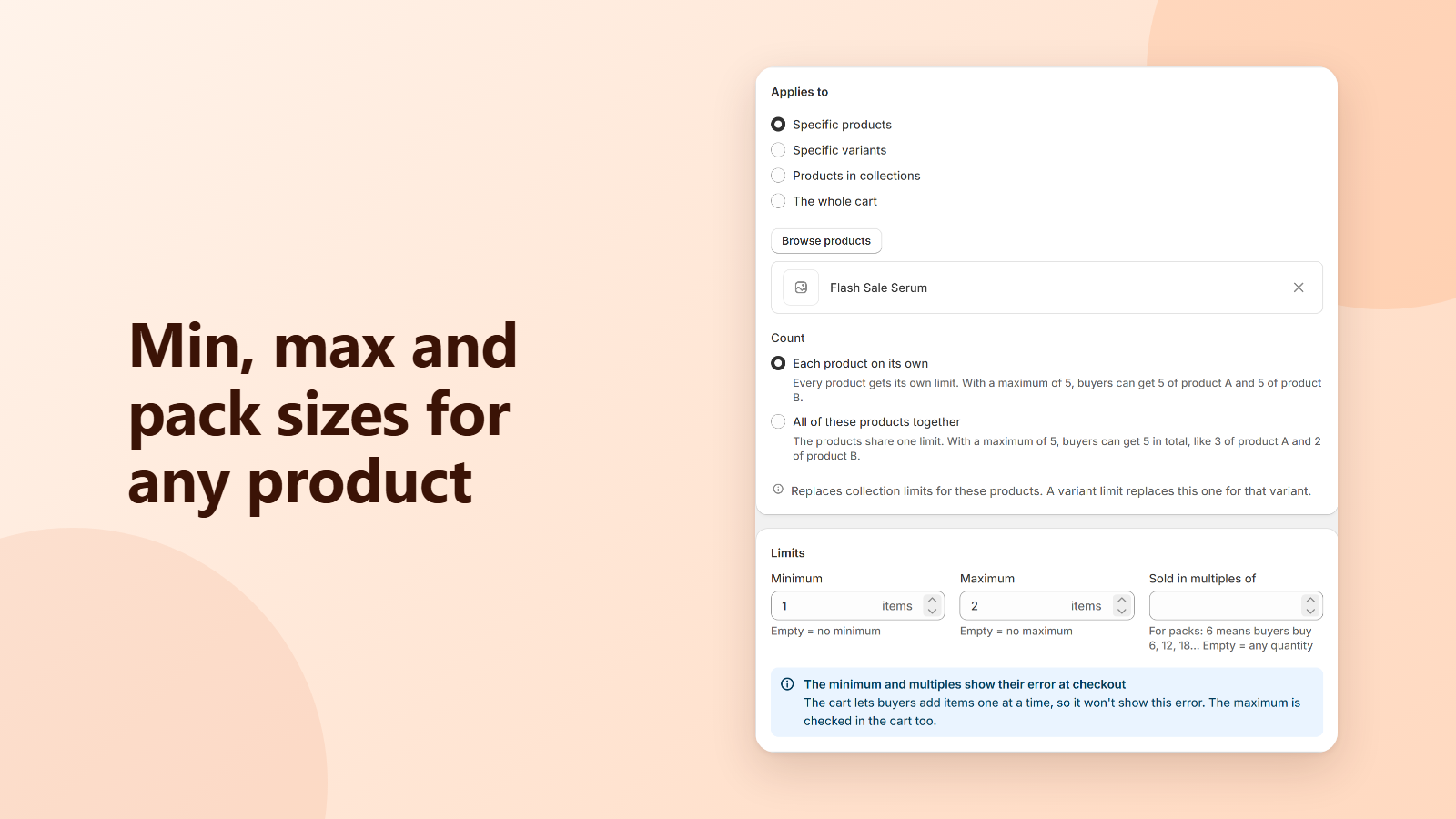
Set a minimum, a maximum or “sold in multiples of” for specific products, variants or every product in a collection. Stop bulk buying of sale items, or sell by the case.
Each product or all together
Give every product its own limit (5 of A and 5 of B), or let a group share one (5 in total). Variant limits replace product limits, so exceptions are easy.
Minimum order value
Require a minimum amount before checkout, cap the order value, or limit the total number of items in one order.
Hide, rename or reorder payment methods
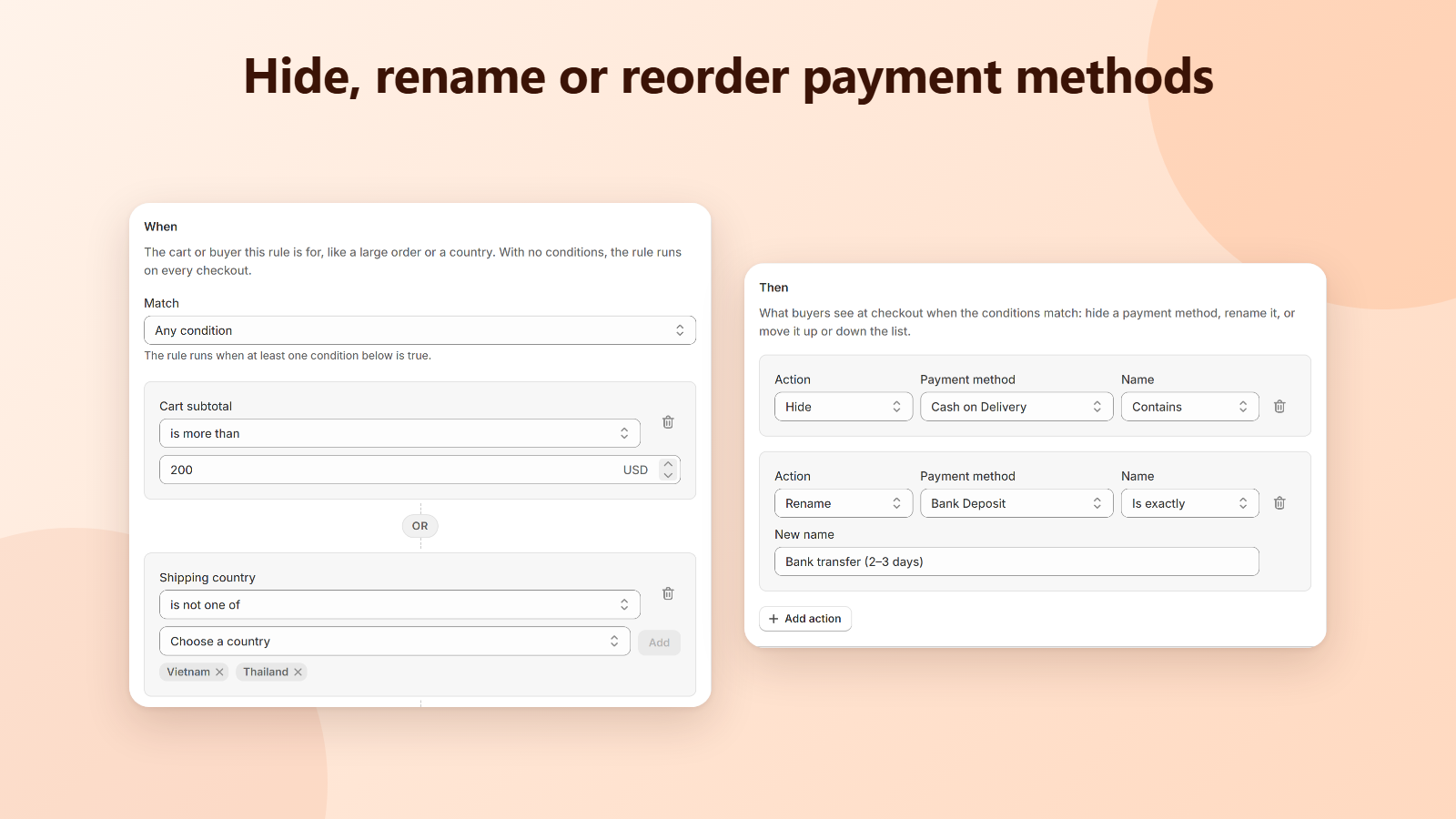
Hide cash on delivery above an amount or outside your countries, rename a method, or show PayPal first. Rules match on cart subtotal, shipping country, products, collections or customer tags.
Checked by Shopify, not by your theme
Limits run as a Shopify Function in the cart and at checkout, so buyers can't get around them with Buy it now, express checkout or an edited cart link.
Your words, your buyers' languages
Write your own error message for each limit and translate it for each checkout language. Leave it empty and a clear default is used.
Limits on the product page
Add the OrderCap limits block to your product page to show “Min 4 · Max 12 · Sold in multiples of 4” and make the quantity field step by the pack size.
Test before buyers do
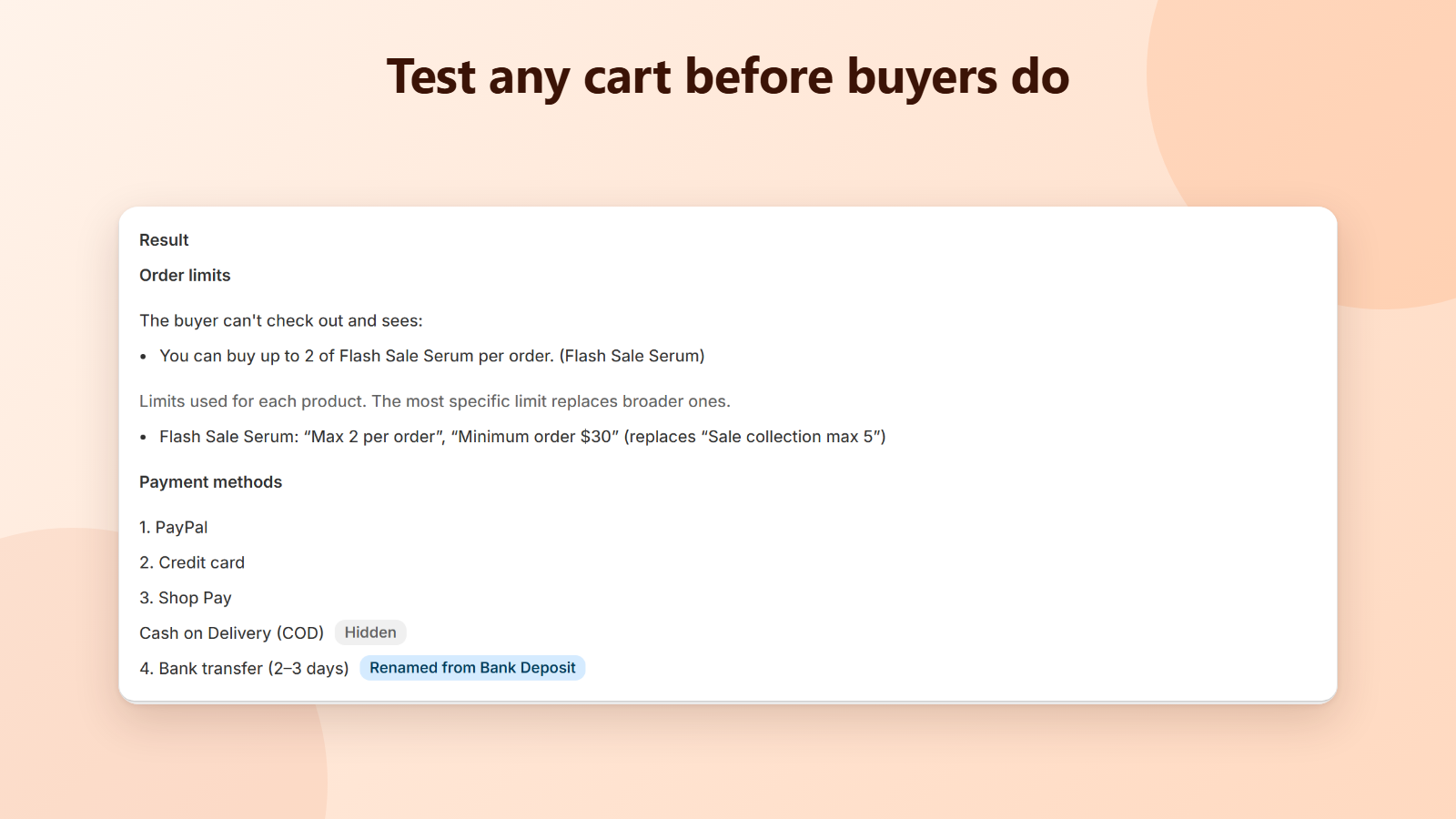
Build any cart in the simulator and see the message the buyer gets and the payment methods left after your rules. Pause all rules in one click if you need to.
See it in action
Live in three steps
- 1
Install OrderCap
One click from the Shopify App Store. No credit card needed.
- 2
Create a rule
Pick a template like “Maximum per product” or “Hide COD on large orders”, choose the products or amount, and save.
- 3
Test it
Run a cart through the simulator, then place a test order. Your rule is already live at checkout.
Free during launch
Every feature is free while OrderCap is in its launch period, with unlimited rules and orders. No monthly fee, no credit card.
Questions
Does it work on my Shopify plan?
Yes. Order limits and payment rules are Shopify Functions, which work on every Shopify plan. You don't need Shopify Plus.
Where are the limits checked?
A maximum is checked as soon as the item is added to the cart and again at checkout. A minimum and “sold in multiples of” are checked at checkout only, because a buyer who adds items one at a time would otherwise be refused the first one.
Can buyers get around a limit?
Not through the storefront. The check runs inside Shopify's cart and checkout, so it also applies to Buy it now, express checkouts like Shop Pay and PayPal, and cart links.
What if a product has more than one limit?
The most specific limit wins: a variant limit replaces the product limit, and a product limit replaces a collection limit. Whole-cart limits and “all these products together” limits apply on top. OrderCap won't let you save two active rules that limit the same product at the same level.
Which payment methods can I hide or rename?
Payment methods are matched by the name buyers see at checkout, for example Cash on Delivery, Bank Deposit or PayPal. Choose “Contains” to match part of the name or “Is exactly” for the full name, and check the result in the simulator and at checkout.
Does OrderCap slow down my store or checkout?
No. The rules run inside Shopify as Functions, not on our servers, and the product page block reads your theme's data without calling us.
Can I turn everything off quickly?
Yes. Click Pause all rules on the home page and checkout runs without any of your limits or payment rules. Your rules are kept, and Resume rules turns them back on.
What happens if I uninstall?
Your limits and payment rules stop applying at checkout right away. Your OrderCap data is deleted 48 hours after uninstall, as Shopify requires.
How do I get help?
Email [email protected]. We usually reply within one business day.
More in the help center.